DirTool


Handles project folder creation and deletion with ease inside the Unity editor.
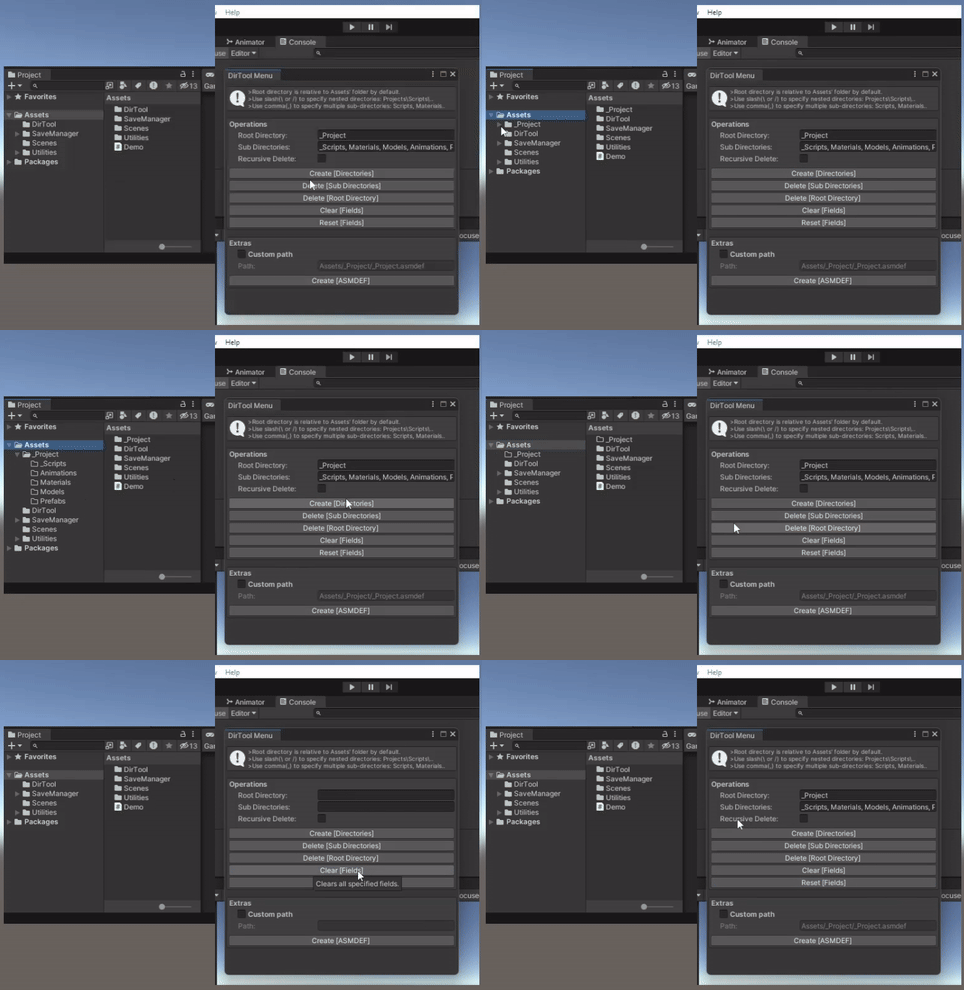
Installation
Inside the Unity Editor using the Package Manager:
- Click the (+) button in the Package Manager and select "Add package from Git URL" (requires Unity 2019.4 or later).
- Paste the Git URL of this package into the input box:
- Click Add to install the package.
Quick Usage
Setup
Navigate to:
Racer > DirTool > Menu
- After successful installation, use this option to launch the Editor window.
Quick Create
Navigate to:
Racer > DirTool > Quick Create
- A convenient dropdown option for quickly creating folders based on the values provided in the Root Directory and Sub-Directories fields.
Remove Package
Navigate to:
Racer > DirTool > Remove package
- Instantly uninstalls the package, removing all associated assets and metadata.
Directory Operations
Create [Directories]
Creates a root folder along with any nested sub-folders, using values from the Root Directory and Sub-Directories fields.
The Root Directory can include nested paths using slashes:
e.g.,Project/RootYou must provide Sub-Directories (and optionally a Root Directory) since this operation primarily targets the creation of sub-directories.
Leaving the Root Directory field empty will place the sub-directories directly under the
Assets/folder:
e.g.,Assets/[Sub-Directories]
Delete [Sub-Directories]
Deletes only the Sub-Directories specified, leaving the Root Directory intact.
Example: Given
Root Directory:Project/and Sub-Directories:Models, Scripts, onlyModelsandScriptswill be deleted; theProject/folder and any unrelated sub-folders will remain.You must provide Sub-Directories (and optionally a Root Directory) as this operation focuses on removing sub-folders.
If the Root Directory is left empty, the tool will delete matching Sub-Directories relative to the
Assets/folder.
Delete [Root Directory]
Deletes the Root Directory along with any specified Sub-Directories.
If a nested path like
Project/Modelsis provided as the Root Directory, the deletion will begin fromModels/but stop atProject/.Supplying
Projects/will delete the entireProjects/directory and its contents, effectively terminating at theAssets/level.In this case, the Sub-Directories field may be left empty, as the operation's focus is on the Root Directory.
Note: The
Assets/directory itself cannot be deleted.
Create [ASMDEF]
Creates an Assembly Definition (
.asmdef) file at the location specified in the Root Directory field.To use a custom path, prefix it with:
Assets/[your_desired_path]
Notes
All operations above also support existing directories in your project.
Use the Recursive Delete toggle to control whether parent directories containing nested folders should be fully removed.
Avoid trailing slashes (
/or\) in the Root Directory field.- For example, use
Project/Scriptsinstead ofProject/Scripts/.
- For example, use
To fully remove this package (without leaving any trace), go to:
Racer > DirTool > Remove package
Contributing
Contributions are welcome! Please open an issue or submit a pull request.